
Overview
The Have I Been Drained HTML widget allows you to embed a ready-to-use wallet security checker into your website with minimal configuration. The widget features a captcha-like interface that users can interact with to check their wallet security.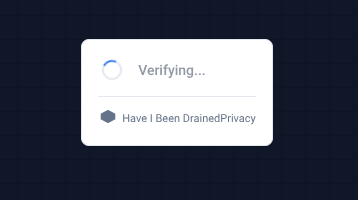
Installation
Basic Setup
Add the widget script to your HTML page:Configuration Options
Basic Configuration
Advanced Configuration
Configuration Reference
Callback Function
TheonResult callback receives a result object:
Widget States
The widget displays different states based on the verification status:- Idle: Initial state with “Check wallet security” button
- Loading: Shows spinner while analyzing the wallet
- Verified: Shows result status (safe/at_risk/drained) with option to see detailed results
- Error: Shows error message if verification fails
- Risk score
- Detections (if any)
- Recommendations
- Affected assets information
Styling
The widget is self-contained with its own styles. The widget container has a maximum width of 320px and is centered by default. All styles are scoped to the.hibd-widget class to avoid conflicts with your site’s CSS.
Custom Container Styling
You can style the container element:Examples
React Integration
Vue Integration
WordPress Integration
Add to your theme’sfunctions.php:
Advanced Usage
Multiple Widgets
You can have multiple widgets on the same page:Custom API Endpoint
Use a custom API endpoint (for development):Troubleshooting
Widget not loading
Widget not loading
- Check that the script URL is correct
- Verify the container element exists
- Check browser console for errors
- Ensure JavaScript is enabled
Styling issues
Styling issues
- Check CSS class names
- Verify container ID is correct
- Ensure no conflicting styles
- Try different theme option
API errors
API errors
- Verify API URL is correct
- Check network connectivity
- Review browser console for errors
- Test API endpoint directly
Best Practices
- Load script asynchronously - Don’t block page load
- Handle errors gracefully - Show user-friendly messages
- Respect user privacy - Don’t track addresses
- Customize styling - Match your site’s design
- Test thoroughly - Test on different browsers
Support
API Documentation
Learn about the API.
Contact Support
Get help with widget integration.